Key Takeaways
Best fit: An MDVR camera system is suitable for buses, project fleets, site vehicles, and mobile equipment that need video recording, playback, and event review instead of only real-time camera viewing.
Main decision: The first question is not how many cameras to buy. The first question is whether the vehicle only needs driver visibility, or whether the project also needs recording, incident review, vehicle route reference, or driver-side monitoring.
Configuration focus: Channel count, camera position, cable length, monitor display, storage time, power supply, and optional functions such as GPS, 4G, WiFi, or DMS should be confirmed by project requirement and selected model.
Yuweixin approach: For Yuweixin project configurations, MDVR selection is treated as a vehicle system matching process. Vehicle type, camera position, recording purpose, cable routing, and optional function boundaries should be checked before confirming repeat orders.
An MDVR camera system for project fleets is usually considered when a vehicle project needs more than a live camera image. A basic camera monitor system helps the driver see a blind spot. An MDVR system adds recording, playback, and evidence review, which can be important for buses, site vehicles, public service vehicles, rental fleets, and project vehicles operating in controlled areas.
For many fleet projects, the first inquiry may mention “bus camera system,” “vehicle recorder,” “4-channel MDVR,” “DMS camera,” “GPS,” or “remote viewing.” These requests are related, but they do not always mean the same system. A bus may need interior and exterior recording. A project vehicle may only need rear and side blind spot monitoring. A fleet manager may want route information. A system integrator may need a recording box that works with several cameras and a cab monitor.
This guide explains how to choose an MDVR camera system by vehicle type, recording purpose, channel count, camera position, storage requirement, and optional functions. It is written for project teams, fleet operators, vehicle safety system integrators, regional importers, and distributors who need a practical purchasing framework before sample testing or repeat orders.
When Does a Project Fleet Need an MDVR Camera System?
A project fleet needs an MDVR camera system when real-time visibility is not enough. If the vehicle only needs a rear view while reversing, a camera and monitor system may be sufficient. If the project also needs video evidence after an event, route-related review, driver-side observation, or multi-camera recording, an MDVR system becomes more suitable.
Common situations include:
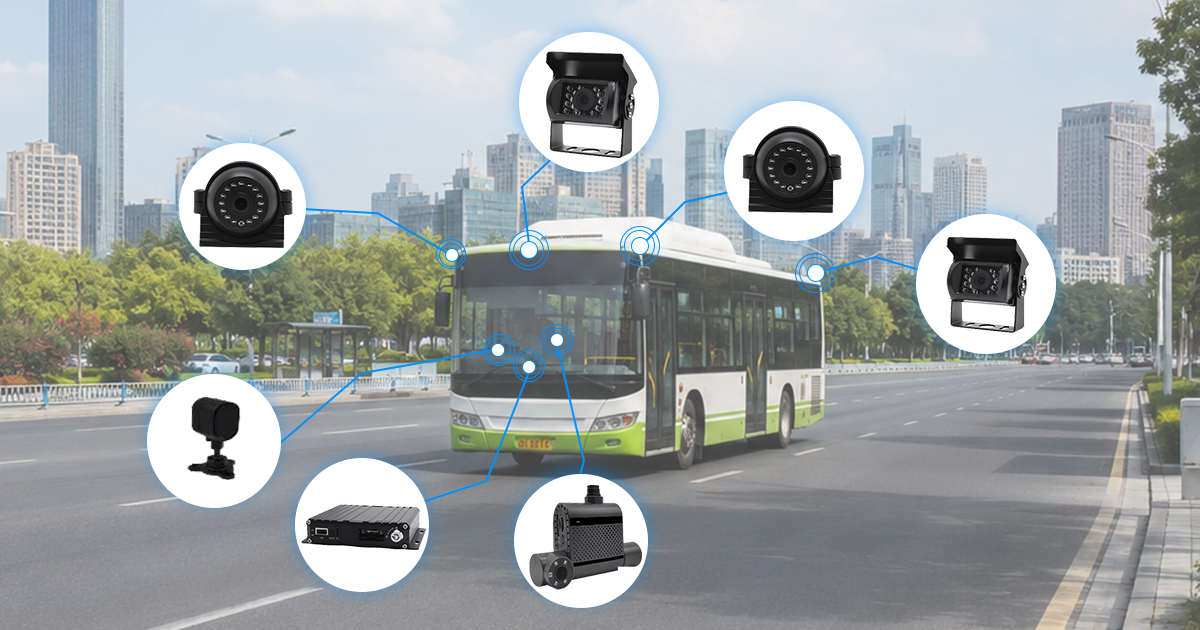
- Buses that need interior passenger area recording and exterior road view recording
- Project fleets that need video review after an incident or complaint
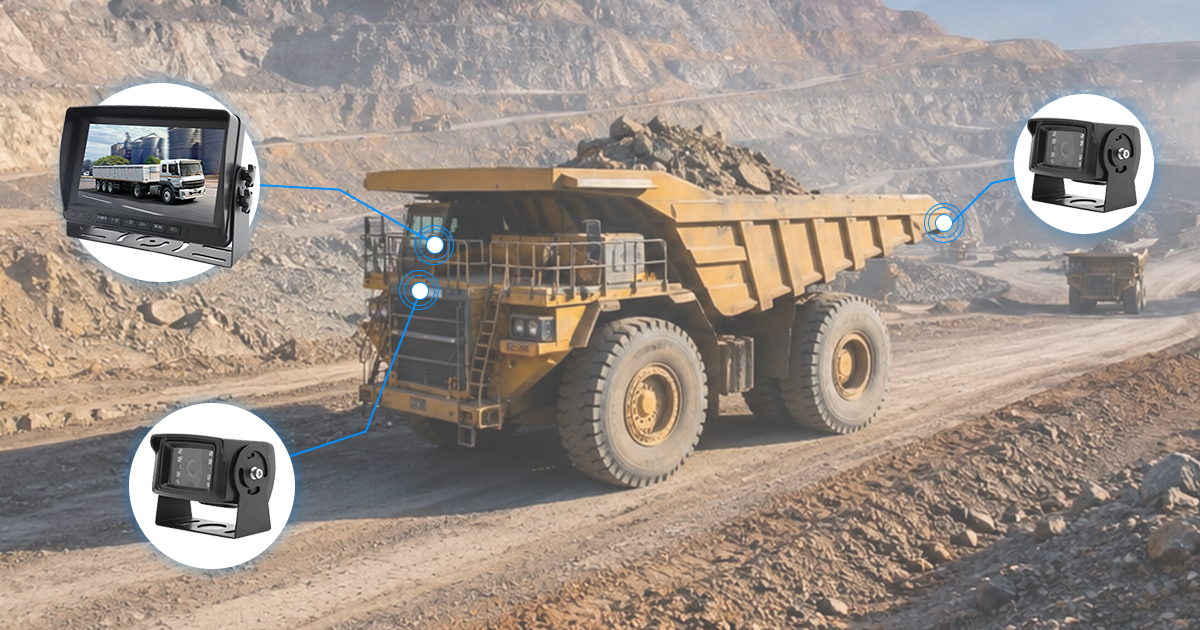
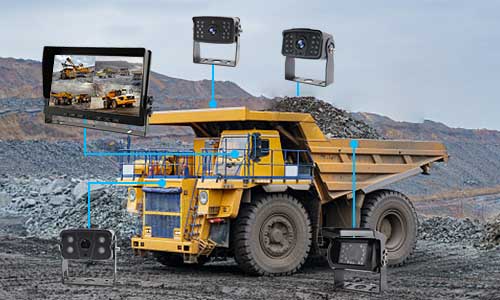
- Site vehicles operating in mines, ports, logistics parks, construction zones, or industrial yards
- Vehicles that need front, rear, side, cabin, or door area recording
- Fleet projects where a simple monitor cannot keep historical video records
- System integrators building a repeatable camera recording configuration for several vehicles
The key difference is the purpose of the system. A monitor helps with live viewing. An MDVR records what happened. If the project needs video playback after an event, the system should be planned around recording channels, storage, camera placement, and power stability.
For Yuweixin project discussions, this is usually the first separation point: whether the vehicle needs only camera visibility, or whether it needs a recording system that can store and review video. This avoids recommending an MDVR when a monitor system is enough, and also avoids recommending a simple monitor when the project actually needs recording evidence.
MDVR System vs Camera Monitor System: What Is the Difference?
A camera monitor system and an MDVR system can both use vehicle cameras, but they solve different problems. A camera monitor system is mainly for live viewing inside the cab. An MDVR system records video from multiple cameras and allows playback according to storage, channel, and system settings.
| Item | Camera monitor system | MDVR camera system |
|---|---|---|
| Main purpose | Live viewing for the driver | Video recording, playback, and event review |
| Typical use | Rear view, side blind spot, parking assistance, driver visibility | Bus recording, project fleet evidence, multi-camera recording |
| Camera quantity | Usually 1–4 cameras depending on monitor input | Usually selected by MDVR channel count such as 3-channel, 4-channel, or higher |
| Recording | Usually not the main function | Core function, depending on storage media and settings |
| Playback | Not normally available without a recorder | Available according to MDVR model and storage configuration |
| Optional functions | Usually limited to display-related functions | May include GPS, 4G, WiFi, DMS, or platform-related functions depending on selected model |
| Best for | Vehicles that mainly need visibility while driving or reversing | Fleets that need recorded video for review, management, or project accountability |
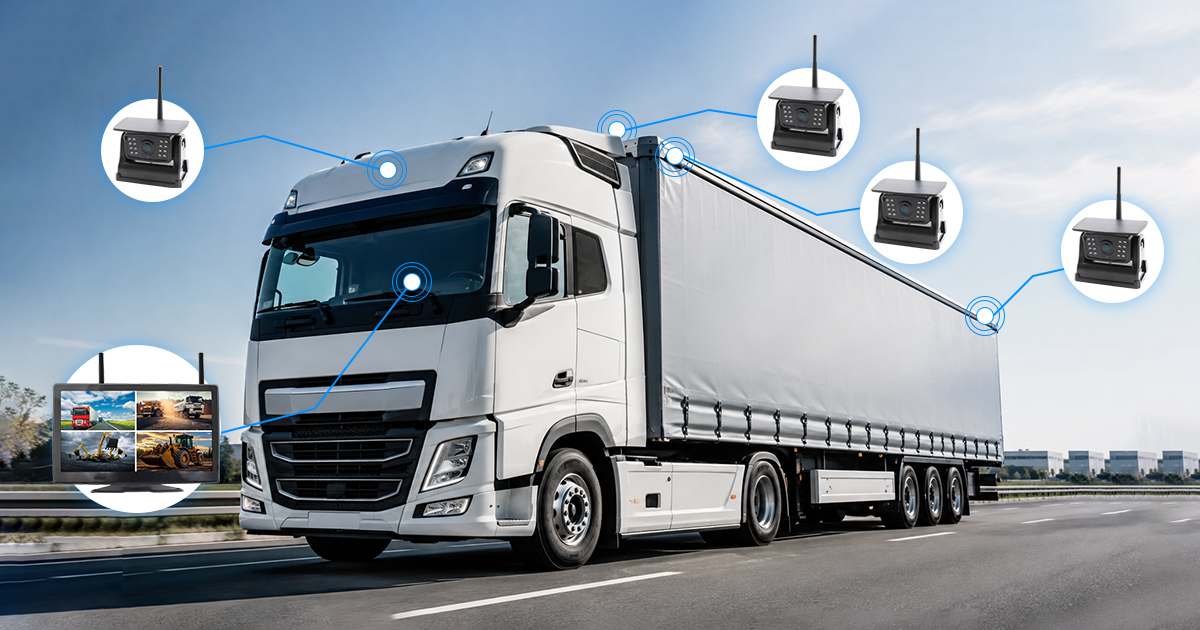
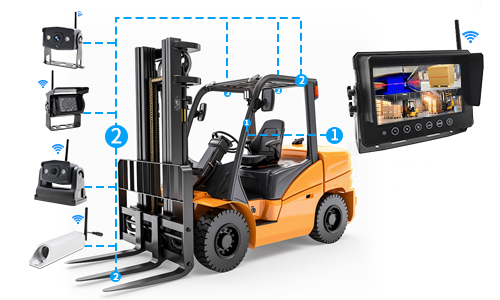
The two systems can also work together. A vehicle may use cameras connected to an MDVR, and a monitor inside the cab may display selected camera views for the driver. In this case, the system should be planned as a complete configuration, not as separate parts selected independently.
Before choosing the system, confirm whether the project needs live display, recording, playback, or all three. This decision affects the recorder model, camera quantity, cable length, monitor requirement, and optional functions.
How to Choose Camera Channels for Buses and Project Vehicles
Channel count is one of the most important MDVR configuration decisions. A channel means one camera input. A 4-channel MDVR can usually connect up to four cameras, while other models may support fewer or more channels. The correct channel count depends on the vehicle layout and what the project needs to record.
Do not choose the channel count only by product price. A system with too few channels may miss an important viewing area. A system with too many channels may increase cost and installation complexity without real project value.
| Vehicle or project type | Common recording areas | Possible channel planning |
|---|---|---|
| Small project vehicle | Front road view, rear view, side blind spot | 2–3 cameras depending on blind spot requirement |
| Bus or passenger vehicle | Front road, cabin/passenger area, door area, rear or side view | 3–4 cameras or more depending on interior coverage |
| Site service vehicle | Front, rear, side working area, driver/cabin view | 3–4 cameras depending on working zone |
| Industrial yard vehicle | Rear view, side area, loading area, front view | 2–4 cameras depending on movement direction and risk area |
| Fleet retrofit project | Standardized camera layout across multiple vehicles | Usually planned around a repeatable 4-channel configuration |
For a bus, a 4-channel system may be used to record front road view, cabin area, door area, and rear view. For a project vehicle, the same 4-channel recorder may be used for front, rear, left side, and right side cameras. The same MDVR model can serve different layouts, but the camera positions and cable lengths will change.
During a Yuweixin configuration review, the recommended channel count should follow the vehicle layout first. Photos or drawings of the vehicle are useful because they show where cameras can be installed and how cables may be routed.
Where to Install Cameras on a Bus or Project Fleet Vehicle
Camera position should be decided by the purpose of recording. A camera installed in the wrong position may record video, but fail to capture the area that matters during an incident or operation review.
For buses and project vehicles, common camera positions include:
- Front road view: records road conditions, driving direction, and external events in front of the vehicle.
- Cabin or passenger area: records the interior area for passenger, driver, or operation review depending on project needs.
- Door area: useful for buses, shuttle vehicles, and service vehicles where entry and exit need to be reviewed.
- Rear view: helps record reversing, parking, and rear-side events.
- Side view: supports blind spot monitoring and side movement review.
- Driver-side view or DMS camera position: may be used when the project requires driver state-related monitoring, depending on selected model and function scope.
Camera placement should also consider lens angle, mounting height, cable route, waterproof position, night operation, and whether the camera is for live display, recording, or both. For example, a camera placed too high may cover a wide area but miss near-ground details. A camera placed too low may be exposed to impact, dust, or water.
Before placing a sample order, prepare simple vehicle photos with marked camera positions. This helps confirm whether the selected cameras, cables, brackets, and MDVR channels match the real vehicle.
How to Match Cable Length, Power Supply and Monitor Display
MDVR systems are not only recorder boxes and cameras. Cable length, connector type, power supply, and monitor display also affect whether the system can be installed smoothly.
For buses and long project vehicles, cable length should be checked early. A front camera may need a short route to the recorder. A rear camera may need a much longer cable. Interior cameras and door cameras may require different cable directions. If the vehicle layout is not confirmed, cable lengths are often guessed, which can create installation delays.
| Configuration item | What to confirm | Why it matters |
|---|---|---|
| Cable length | Distance from MDVR to each camera position | Wrong cable length can delay installation or require extra adapters |
| Connector type | Camera connector, MDVR input, monitor output, power connector | Connector mismatch can cause no image or unstable signal |
| Power supply | Vehicle voltage range and MDVR power requirement | Incorrect power connection can affect recorder stability |
| Monitor display | Whether the driver needs live camera view in the cab | Some projects need recording only; others need both recording and live display |
| Recording storage | Storage type and expected recording duration | Storage planning affects how long video can be retained |
If a cab monitor is required, confirm which camera views should be displayed. Some drivers may only need rear view while reversing. Some projects may need manual switching between cameras. Some systems may support split-screen display depending on the selected monitor and MDVR output.
For Yuweixin project configurations, cable length and monitor display are checked together with camera positions. A system may be technically correct on paper, but still difficult to install if the actual vehicle layout is not considered.
Recording Storage: What Should Be Confirmed Before Ordering?
Recording is the main reason to choose an MDVR system. The system should be planned around how video will be stored, how long it needs to be kept, and how it will be reviewed after an event.
Before confirming an MDVR model, define the recording purpose:
- Is the system mainly for accident review?
- Does the project need daily operation review?
- How many cameras will record at the same time?
- How long should video records be kept?
- Will the video be checked locally or through optional remote-related functions?
- Does the system need loop recording?
- Will the vehicle work every day or only during project shifts?
Recording time depends on camera quantity, resolution, frame rate, compression, storage capacity, and recording settings. It should not be treated as one fixed number for every project. A 4-camera system will normally require more storage than a single-camera recorder if all channels record continuously.
For project fleets, it is better to define the minimum useful retention period first. For example, the project may need to review video within the same day, within several days, or after a specific incident report. This affects the storage plan and MDVR model selection.
What About GPS, 4G, WiFi and DMS Functions?
Many MDVR inquiries include GPS, 4G, WiFi, DMS, or platform viewing. These functions should be handled carefully. They can be useful, but they should not be assumed to be included in every MDVR model or suitable for every country, SIM card, network condition, or project platform.
For ODR-KE type project needs, these functions may appear in the same inquiry, but each one solves a different problem:
| Optional function | What it may support | What must be confirmed |
|---|---|---|
| GPS | Vehicle location or route-related reference depending on system configuration | Selected model, antenna setup, software/platform requirement, and local use condition |
| 4G | Remote-related data transmission or viewing depending on model and platform | Network band, SIM card, data cost, country compatibility, and platform arrangement |
| WiFi | Possible local data access or download depending on selected model | WiFi function scope, distance, access method, and site workflow |
| DMS camera | Driver-side monitoring functions depending on camera and system capability | Actual function requirement, alert logic, model support, and project acceptance criteria |
| Platform viewing | May support remote-related monitoring depending on system and service setup | Platform availability, server arrangement, account setup, data network, and support boundary |
These functions should be selected by project need, not by feature list. If the project only needs local recording and playback, GPS or 4G may not be necessary. If the project needs remote checking, then network condition, SIM card, data usage, platform access, and country compatibility must be reviewed before confirming the model.
For Yuweixin, these optional functions are treated as model-specific and project-specific. They should be confirmed before sample testing or quotation. They should not be presented as a universal fleet management platform unless the selected system, platform, network, and service boundary have been confirmed.
How Yuweixin Handles MDVR Project Configuration
Yuweixin’s factory brand position is practical: the MDVR camera system should match the vehicle and project requirement before the order is expanded. A recorder, several cameras, and long cables can look like a complete system, but the real value depends on whether the configuration fits the vehicle layout and recording purpose.
For project fleet inquiries, Yuweixin usually checks the following points before recommending a configuration:
- Vehicle type: bus, project vehicle, site vehicle, industrial yard vehicle, or mobile equipment
- Number of vehicles for sample testing and expected repeat orders
- Camera positions: front, rear, side, cabin, door area, or driver-side position
- Required number of channels for each vehicle
- Whether a cab monitor is needed for live viewing
- Required cable lengths based on actual vehicle layout
- Recording purpose: incident review, operation review, route-related review, or general safety record
- Storage expectation and video retention requirement
- Optional functions such as GPS, 4G, WiFi, DMS, or platform viewing
- Installation support requirement, including remote video guidance when applicable
This checking process does not mean every project needs a high-level system. Some vehicles may only need a simple camera monitor system. Some fleets may need a 4-channel MDVR with several cameras. Some projects may need optional functions, while others should avoid unnecessary complexity.
The purpose is to avoid treating MDVR as a standard box. For project vehicles, the system should be configured around the vehicle, not only around the product catalog.
Installation and Debugging Issues to Prepare For
MDVR systems involve more installation variables than a simple camera and monitor system. If the recorder, cameras, cables, power, monitor output, or settings are not matched correctly, the system may show no image, blue screen, unstable display, or recording problems.
Common issues to prepare for include:
- Camera connected to the wrong channel
- Incorrect video input setting
- Loose connector after vehicle vibration
- Wrong cable length or poor cable routing
- Power instability during vehicle start or operation
- Monitor not set to the expected display mode
- Storage not installed, formatted, or configured correctly
- Optional 4G/GPS/WiFi/DMS functions not confirmed before testing
These issues should not be treated only as after-sales problems. Many of them can be reduced by confirming the configuration before shipment and preparing installation information before testing.
For sample projects, photos and short videos are helpful. A photo of the vehicle, camera position, cable route, MDVR connection, monitor screen, and any error display can help identify whether the issue is caused by wiring, signal, setting, power, or product mismatch.
Purchasing Checklist for MDVR Camera Systems
Before arranging a sample or confirming repeat orders, prepare the information below. It will make the configuration review more accurate and reduce repeated back-and-forth during quotation.
| Checklist item | Information to provide |
|---|---|
| Country or region | Project location, especially if optional 4G, GPS, or platform-related functions are requested |
| Company type | Fleet operator, distributor, importer, installer, integrator, or project contractor |
| Vehicle type | Bus, project vehicle, site vehicle, industrial vehicle, or mobile equipment |
| Number of vehicles | Sample quantity and expected project quantity |
| Camera positions | Front, rear, side, cabin, door area, driver-side, or blind spot positions |
| Channel requirement | 3-channel, 4-channel, or other channel count based on camera quantity |
| Monitor requirement | Whether the driver needs live view, channel switching, or split-screen display |
| Cable length | Estimated distance from MDVR position to each camera position |
| Recording requirement | Recording purpose, expected retention period, and playback method |
| Optional functions | GPS, 4G, WiFi, DMS, or platform viewing if needed |
| Installation information | Vehicle photos, installation position photos, and whether remote video guidance is needed |
| Document requirements | Model documents, certificates, specifications, or manuals required for purchasing review |
This checklist helps separate confirmed needs from uncertain feature requests. It also helps decide whether the project should start with a simple MDVR sample, a complete 4-channel camera recording system, or a more function-specific configuration.
MDVR Camera System for Project Fleets FAQ
When does a fleet need an MDVR camera system?
A fleet needs an MDVR system when it requires video recording, playback, or incident review. If the vehicle only needs live rear view or blind spot visibility, a camera monitor system may be enough. If video evidence is needed after operation, an MDVR system is more suitable.
What is the difference between an MDVR system and a camera monitor system?
A camera monitor system mainly gives the driver live camera view. An MDVR system records video from cameras and allows playback according to storage and settings. Some MDVR systems can also work with a monitor for live display.
How many cameras does a bus MDVR system need?
It depends on the required recording areas. A bus may need front road view, cabin view, door area view, and rear view. That often leads to a 3-channel or 4-channel configuration, but the final layout should be based on the actual vehicle and project goal.
Does every MDVR support 4G, GPS, WiFi and DMS?
No. These functions depend on the selected model, accessories, software or platform arrangement, network condition, and project requirements. They should be confirmed before sample testing or quotation.
Can an MDVR system support driver monitoring?
Some systems may work with DMS-related cameras depending on the selected model and function scope. The expected driver monitoring function, alert logic, installation position, and project acceptance standard should be confirmed before treating it as part of the final configuration.
What information is needed before quoting an MDVR project?
Prepare vehicle type, number of vehicles, camera positions, required channels, cable length, recording purpose, monitor requirement, optional functions, vehicle photos, and installation conditions. These details help match the MDVR, cameras, cables, and accessories to the project.
Conclusion: Choose MDVR by Recording Purpose, Not Only by Product Model
An MDVR camera system for project fleets should be selected according to recording purpose, vehicle layout, channel count, camera position, storage requirement, and optional function needs. A bus, a project vehicle, and a site service vehicle may all use MDVR, but their camera layout and system requirements can be different.
The most practical way to start is to confirm whether the vehicle needs only live viewing or also needs recording and playback. After that, define camera positions, channel count, cable length, monitor display, storage expectation, and optional functions such as GPS, 4G, WiFi, DMS, or platform viewing.
For Yuweixin project support, the MDVR system is treated as a configurable vehicle recording setup rather than a standard product bundle. Before sample testing or repeat orders, prepare vehicle photos, camera position requirements, recording goals, expected quantity, and optional function needs. These details make it easier to recommend a system that matches the real project instead of adding unnecessary features or missing important recording points.