Key Takeaways
Best fit: This guide is for vehicle safety system integrators, forklift service teams, heavy equipment parts distributors, and maintenance teams upgrading an existing vehicle camera monitor system.
Quick answer: Vehicle camera monitor compatibility depends on video signal format, monitor input mode, PAL/NTSC setting, connector wiring, cable length, camera power, and whether the old camera uses AHD, CVBS, or another format. A new monitor does not automatically work with every old vehicle camera.
Main risk: A system may show no image, blue screen, rolling image, black-and-white image, or unstable video if the monitor, camera, cable, or video format does not match.
Recommended next step: Before replacing only one part of an old system, confirm the camera model, connector type, pin definition, video format, voltage, cable length, and monitor input setting.
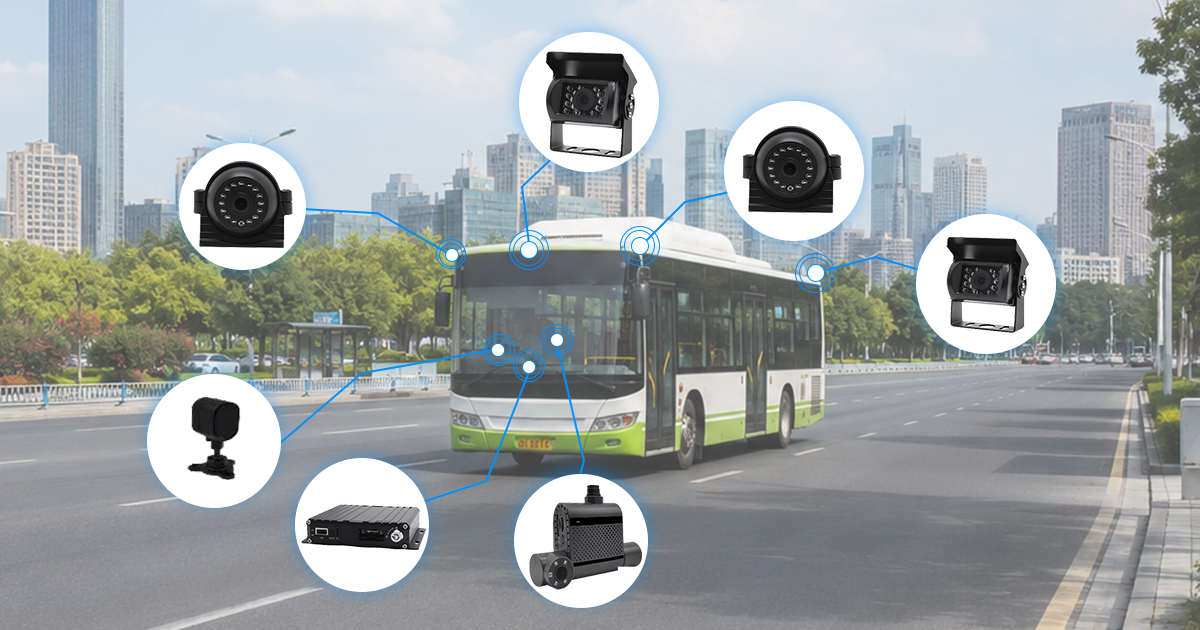
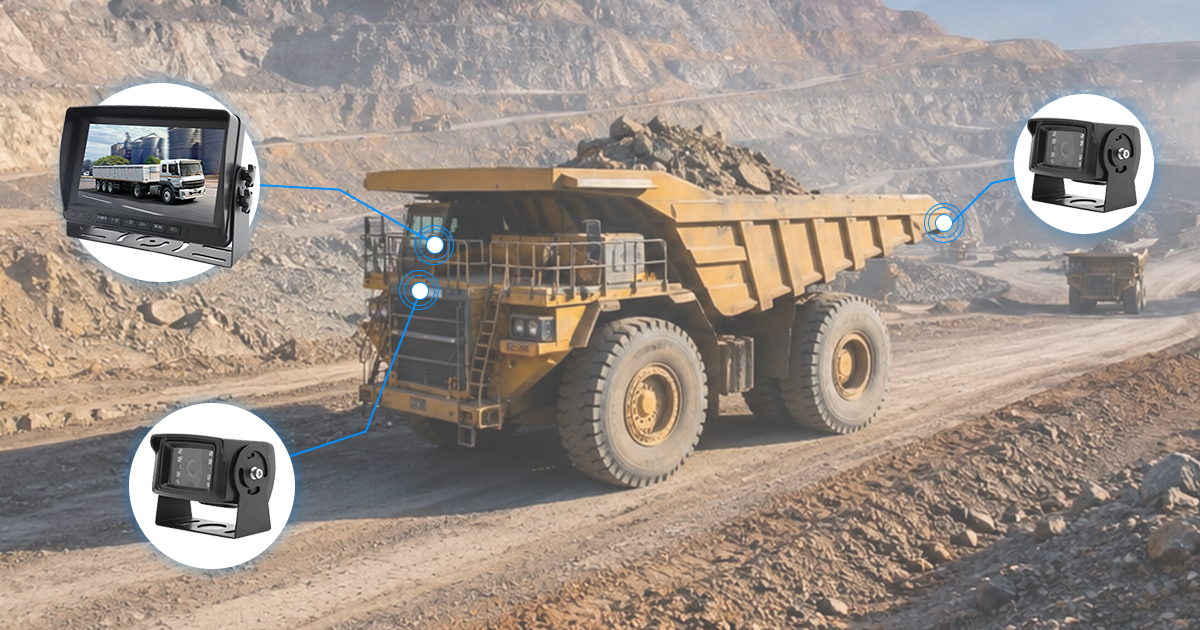
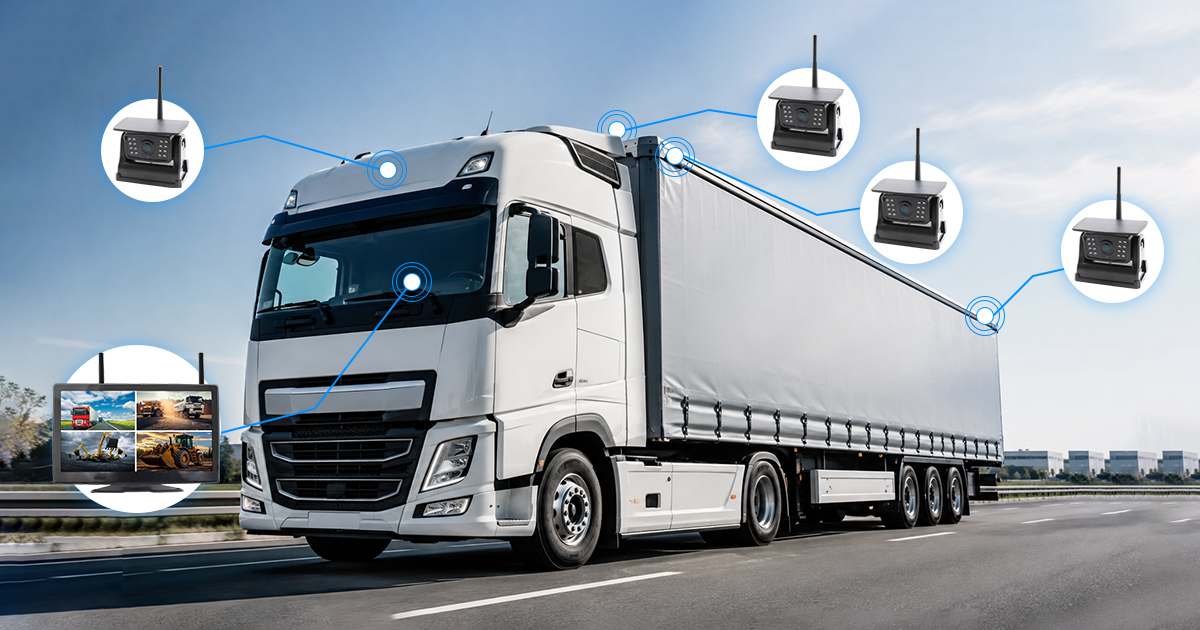
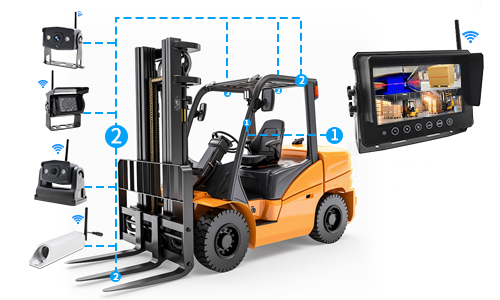
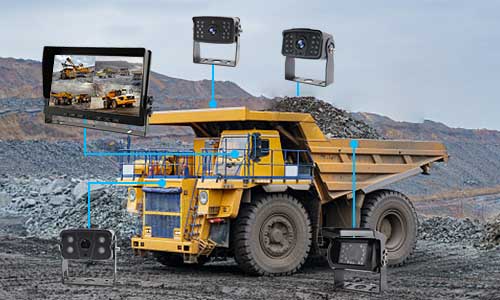
Vehicle camera monitor compatibility becomes important when a project does not replace the whole system at once. This often happens with forklifts, loaders, excavators, trucks, buses, warehouse vehicles, and other heavy equipment where an old camera, old cable, or old monitor is already installed.
At first, the request may sound simple: replace the monitor, add a new camera, or connect a new display to an existing camera. In practice, this can create compatibility problems if the video format, connector, cable, power supply, or monitor input mode is different from the old system.
This guide explains how to check AHD, CVBS, PAL/NTSC, 4-pin connectors, cable length, and old camera connection issues before ordering a replacement monitor or upgrading a vehicle camera system.
Why Vehicle Camera Monitor Compatibility Problems Happen
Compatibility problems usually appear when a vehicle camera system is upgraded in parts instead of being replaced as a complete matched set. The existing camera may still be installed on the vehicle, the cable may already be routed through the body, and the maintenance team may only want to change the monitor or add another camera.
This approach can save installation time, but it also creates uncertainty. Two cameras may look similar from the outside, but use different video formats. Two 4-pin connectors may look the same, but use different pin definitions. A monitor may support one signal format by default, but need manual input mode adjustment for another camera.
Common compatibility situations include:
- A new monitor is connected to an old vehicle camera, but there is no image.
- An old camera is connected to a new monitor, and the screen shows blue screen or black screen.
- The image appears unstable, rolling, delayed, or distorted.
- The monitor supports AHD, but the old camera outputs CVBS.
- The camera and monitor use different PAL/NTSC settings.
- The connector looks like a standard 4-pin aviation plug, but the wiring order is different.
- The cable is too long, damaged, or not suitable for the selected camera signal.
For vehicle safety systems, this issue should be handled before shipment or before field installation whenever possible. Once the vehicle is already in use, changing monitor settings, replacing adapters, or rewiring connectors becomes more time-consuming.
AHD, CVBS and PAL/NTSC: What They Actually Affect
The most common compatibility questions involve AHD, CVBS, PAL, and NTSC. These terms affect whether the monitor can correctly receive and display the camera image.
AHD and CVBS are video signal formats. PAL and NTSC are video standards often related to analog camera display modes. If the monitor input mode and camera output format do not match, the screen may show no image or an unstable image.
| Term | What it means in a vehicle camera system | What can go wrong |
|---|---|---|
| AHD | Analog high-definition video format used by many newer vehicle cameras | An AHD monitor input may not display an old CVBS camera unless the monitor supports switching |
| CVBS | Traditional analog composite video format used by many older vehicle camera systems | A CVBS camera may show no image on a monitor set to AHD-only input |
| PAL | One common analog video standard used in many regions and systems | Wrong PAL/NTSC mode may cause rolling, unstable, or incorrect display |
| NTSC | Another common analog video standard used in some vehicle camera systems | A monitor set to the wrong standard may not display correctly |
| Monitor input mode | The selected signal mode for the monitor channel | The camera may work only after the input mode is changed in the monitor menu |
Some monitors support multiple input formats, while others support only one format or require manual switching. For example, a monitor may be able to display AHD and CVBS cameras, but the correct input mode needs to be selected in the settings. If the channel is set to the wrong format, the camera may appear to be defective even when it is not.
Before confirming a replacement monitor, the existing camera format should be checked. If the old camera model is unknown, photos of the camera label, cable connector, old monitor menu, and current screen issue can help with compatibility review.
What to Confirm Before Connecting a New Monitor to an Old Vehicle Camera
Connecting a new monitor to an old camera is one of the most common upgrade requests. It is also one of the easiest places to make a wrong assumption.
A monitor cannot be selected only by screen size. A 7-inch monitor and an old vehicle camera may still be incompatible if the video format, connector wiring, voltage, or cable path does not match.
Before replacing the monitor, confirm the following information:
| Information to confirm | Why it matters |
|---|---|
| Existing camera model | The model may indicate whether the camera is AHD, CVBS, PAL, NTSC, or another format |
| Current monitor model | The old monitor may show supported input modes or channel settings |
| Connector type | 4-pin aviation connectors may look similar but use different wiring |
| Pin definition | Video, power, ground, and audio wires may not be arranged the same way |
| Camera voltage | The camera must receive the correct power supply from the monitor or vehicle circuit |
| Cable length | Long or poor-quality cables may affect signal stability, especially for higher-resolution formats |
| Monitor input mode | The monitor channel must match the camera output format |
If the old camera information is not available, the safest approach is to test one sample set before repeat ordering. The test should include the actual old camera, existing cable if possible, and the new monitor with the intended settings.
When the system uses multiple cameras, each channel should be checked separately. One old camera may work, while another camera on the same vehicle may use a different format, cable condition, or connector wiring.
4-Pin Connectors and Cable Length: Why “Looks the Same” Is Not Enough
Many heavy-duty vehicle camera systems use 4-pin aviation connectors. These connectors are common on forklifts, trucks, buses, construction vehicles, and other equipment. However, a 4-pin connector is not automatically universal.
The connector shape only tells part of the story. The internal wiring matters more. A 4-pin cable may carry video, power, ground, and sometimes audio or trigger-related functions. If the pin definition is different, the camera may not power on, the monitor may not receive video, or the connection may create unstable display.
| Compatibility point | What to check | Possible issue if ignored |
|---|---|---|
| Connector shape | Male/female direction, plug size, locking ring, and waterproof structure | The connector may not physically fit |
| Pin definition | Video, power, ground, and audio/extra wire position | The camera may not power on or may show no image |
| Cable length | Actual routing length from monitor to camera | Signal loss or unstable image may appear on long cable runs |
| Cable quality | Shielding, waterproof connector quality, and vehicle vibration resistance | Image interference, loose connection, or water-related failure may occur |
| Old cable condition | Existing cable damage, bending, corrosion, or connector wear | A new monitor may be blamed for a problem caused by the old cable |
Cable length should also be checked before upgrading the system. A forklift may need only a short cable, while heavy equipment, buses, and long project vehicles may require much longer cable routes. The longer the cable path, the more important signal format, cable shielding, connector quality, and power stability become.
When an existing cable is kept in the vehicle, it should not be assumed to support every new camera or monitor. If the old cable was designed for CVBS and the new camera is AHD, the result may depend on cable quality and the final system configuration.
How to Troubleshoot No Image, Blue Screen or Unstable Video
No image or blue screen does not always mean the camera or monitor is defective. In many vehicle camera systems, it means the signal is not reaching the monitor correctly, or the monitor is not set to the right input mode.
Use the following troubleshooting sequence before replacing parts:
- Check power first. Confirm whether the camera receives the correct voltage and whether the monitor is powered normally.
- Check the selected channel. Make sure the monitor is displaying the same channel where the camera is connected.
- Check the video format. Confirm whether the camera is AHD or CVBS, and whether the monitor input mode matches it.
- Check PAL/NTSC setting. If the image rolls, flickers, or displays incorrectly, the video standard may need adjustment.
- Check the connector. Confirm whether the 4-pin plug fits physically and whether the pin definition is correct.
- Check the cable. Test with a shorter or known-good cable if the vehicle cable is old, long, or possibly damaged.
- Test one camera directly. If the system has several cameras, test one camera and one channel first to reduce variables.
- Review the monitor menu. Some monitors need manual switching between AHD, CVBS, PAL, or NTSC modes.
If the image appears only after changing the monitor setting, the issue is likely not a hardware defect. It may simply be a format or input mode mismatch. This is why compatibility information should be checked before the replacement monitor is selected.
For field teams, photos and short videos are useful. A photo of the connector, the old camera label, the monitor menu, and the screen issue can help identify whether the problem is likely caused by signal format, connector wiring, cable condition, or monitor setting.
How We Confirm Compatibility Before Recommending a Replacement
For vehicle camera monitor compatibility, we treat the confirmation stage as a system matching check, not just a product selection step. A monitor may have the right screen size but still be the wrong choice if it cannot match the existing camera signal or connector wiring.
Before recommending a replacement monitor, camera, or cable, we usually review the current vehicle setup, existing camera type, connector photos, cable length, required screen size, voltage, and whether the system needs AHD, CVBS, PAL, or NTSC support. If the old system information is incomplete, a sample test is safer than assuming direct compatibility.
This approach is especially important when the project keeps old cameras or old cables. The visible connector shape may not be enough. The monitor input mode, camera output format, and pin definition should be checked together.
Compatibility confirmation does not mean every old system can be matched with every new product. Some old cameras may require a specific monitor mode, adapter, cable change, or full system replacement. The purpose of checking first is to avoid sending a replacement part that cannot work with the existing vehicle setup.
Purchasing Checklist for Vehicle Camera Monitor Compatibility
Before ordering a replacement monitor or upgrading part of an existing vehicle camera system, prepare the information below. It will help confirm whether the new parts can work with the old system or whether a complete matched system is a better option.
| Checklist item | Information to provide |
|---|---|
| Vehicle type | Forklift, loader, excavator, truck, bus, warehouse vehicle, or other equipment |
| Existing camera photos | Camera appearance, label, connector, and installation position |
| Existing monitor photos | Monitor model, menu settings, channel input, and current screen issue |
| Video format | AHD, CVBS, PAL, NTSC, or unknown |
| Connector type | 4-pin aviation connector, RCA, or other connector type |
| Pin definition | Video, power, ground, and any extra wire position if available |
| Cable length | Required length from monitor to each camera position |
| Number of cameras | One camera, two cameras, or multi-camera setup |
| Display requirement | Single channel, channel switching, split screen, or trigger display |
| Replacement scope | Monitor only, camera only, cable only, or complete system replacement |
If the old camera format is unknown and cannot be confirmed, the safer choice is often to test one sample first or replace the system as a matched set. This reduces the risk of trying to combine parts that were not designed to work together.
When a Complete Matched System Is Better Than Mixing Old and New Parts
Mixing old and new parts can be practical when the existing system information is clear. It can reduce installation work and avoid removing cables that are already routed through the vehicle. However, this is not always the best choice.
A complete matched camera monitor system may be better when:
- The existing camera model is unknown.
- The old connector wiring cannot be confirmed.
- The old cable is damaged, corroded, or too short.
- The system has repeated no-image or unstable-video issues.
- The vehicle needs multiple cameras with consistent image quality.
- The project requires standardized installation across several vehicles.
- The customer wants to upgrade from old CVBS cameras to AHD cameras.
- The future system may need MDVR recording or playback.
For a single repair, replacing one part may be reasonable. For a project fleet or repeated vehicle upgrade, using matched cameras, monitor, cables, and accessories can reduce compatibility uncertainty and simplify future maintenance.
The decision should follow the project goal. If the goal is to keep an old system running, compatibility testing is important. If the goal is to build a stable system for more vehicles, a complete matched configuration may be easier to control.
Vehicle Camera Monitor Compatibility FAQ
Can a new monitor connect to an old vehicle camera?
It can connect only if the video format, connector, pin definition, power supply, cable condition, and monitor input mode are compatible. A new monitor does not automatically work with every old vehicle camera, even if the plug looks similar.
What is the difference between AHD and CVBS vehicle cameras?
AHD is an analog high-definition format used by many newer vehicle cameras. CVBS is an older analog composite video format. A monitor must support the camera’s output format, or the image may not display correctly.
Why does the monitor show blue screen after connecting a camera?
Blue screen often means the monitor is not receiving a valid video signal. Possible causes include wrong input mode, AHD/CVBS mismatch, PAL/NTSC mismatch, incorrect connector wiring, no camera power, damaged cable, or wrong channel selection.
Are all 4-pin vehicle camera connectors the same?
No. Many vehicle cameras use 4-pin aviation connectors, but the pin definition may differ. The same-looking connector may use different wiring for video, power, ground, and audio or extra functions.
Can an old cable be reused with a new AHD camera?
Sometimes it can, but it depends on cable quality, length, shielding, connector condition, and the final system configuration. If the old cable is damaged or not suitable for the new signal format, image instability may occur.
Should the old camera be replaced together with the monitor?
If the old camera format, connector wiring, or cable condition is unclear, replacing the camera and monitor as a matched set may reduce compatibility risk. If the old camera information is clear, a monitor-only replacement may be possible after testing.
Conclusion: Check Compatibility Before Replacing Only One Part
Vehicle camera monitor compatibility should be confirmed before replacing a monitor, adding a camera, or reusing an old cable. AHD, CVBS, PAL/NTSC, connector wiring, cable length, power supply, and monitor input mode can all affect whether the system displays correctly.
For forklifts, heavy equipment, buses, trucks, warehouse vehicles, and project fleets, compatibility issues are easier to prevent before shipment than to solve after installation. A no-image or blue-screen problem is often not a simple product defect; it may be a signal format, setting, connector, or cable mismatch.
Before ordering replacement parts, prepare photos of the old camera, old monitor, connector, cable route, screen issue, and vehicle installation position. These details help confirm whether the existing system can be upgraded part by part or whether a complete matched vehicle camera monitor system is the safer direction.